Viewing Device Custom Fields and Categories
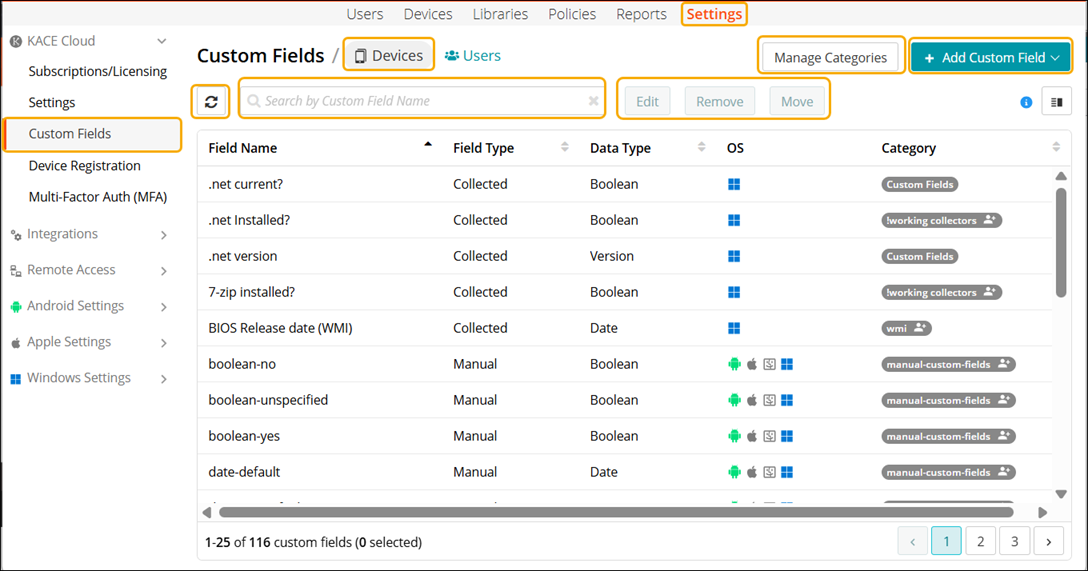
To view the Custom Fields and Categories, select Settings > KACE Cloud > Custom Field > Devices to open the custom field list.
- Devices tab: When the Devices view is loaded, it displays a list of custom fields with details such as Field Name, Field Type, Data Type, operating system, and Category. Here you can perform various actions:
- Add Custom Field: add a new custom field.
- Edit: modify an existing custom field.
- Remove: delete an existing custom field.
- Move: move custom fields from one category to the another.
- Search for a custom field.
- Manage Categories: add a new category, edit or delete an existing category.